A laptop battery that drains quickly, has trouble holding a charge, or shuts down unexpectedly can throw your day off track. If you are facing these problems, then laptop battery replacement can be the most practical solution. However, the cost to replace a laptop battery in 2026 will vary depending on a number of factors, including the laptop brand, model, battery type, and repair needs.
Whether you use your laptop for work, study, gaming, or just everyday use, understanding the costs of replacement can help you make an informed decision. Knowing when to replace the battery and where to get a reliable repair can also save you time and unnecessary expense.
Laptop battery replacement costs vary depending on the brand, model, and battery specifications.
Original batteries generally cost more than compatible alternatives.
Rapid battery drainage, overheating, and unexpected shutdowns are common warning signs.
Professional installation helps ensure battery compatibility and safe operation.
Comparing repair options can help you find reliable laptop battery replacement in Indianapolis.
The cost of replacing a laptop battery can be quite different for different devices. There are cheaper replacements for standard laptops. High-end ultrabooks, gaming laptops, and specialized business laptops may have more expensive batteries.
The final cost usually includes the battery itself and professional installation, depending on the device.
Here are the main factors that influence the overall expense:
1. Laptop Brand and Model
Batteries are designed and specified differently from manufacturer to manufacturer. Popular brands like Dell, HP, Lenovo, Apple, and ASUS require different replacements.
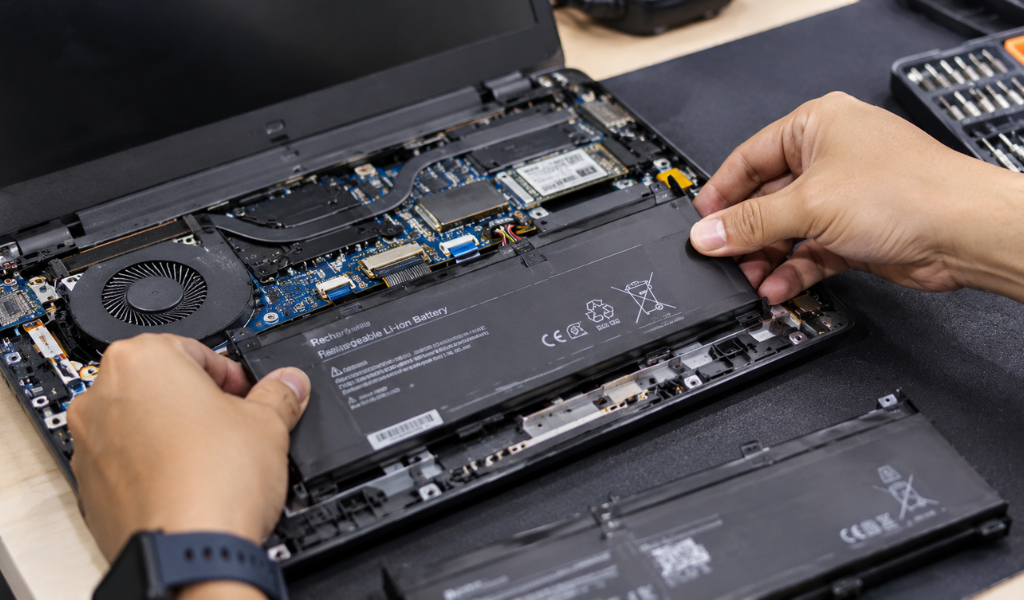
Some models are powered by easily accessible batteries, others by internal batteries requiring careful disassembly.
2. Battery Type and Quality
The type of replacement battery directly affects the overall cost.
Original manufacturer batteries: Designed to meet the laptop's original specifications and compatibility requirements.
Compatible replacement batteries: Third-party alternatives designed for specific laptop models.
Aftermarket batteries: Quality and performance can vary depending on the manufacturer.
Choosing a reliable battery is important because a low-quality replacement may affect performance and long-term reliability.
3. Installation Complexity
Some laptop batteries are fairly simple to swap out. Some are locked inside the device and require special tools and technical know-how.
Professional installation may require additional labor, especially on slim laptops and models with tightly integrated components.
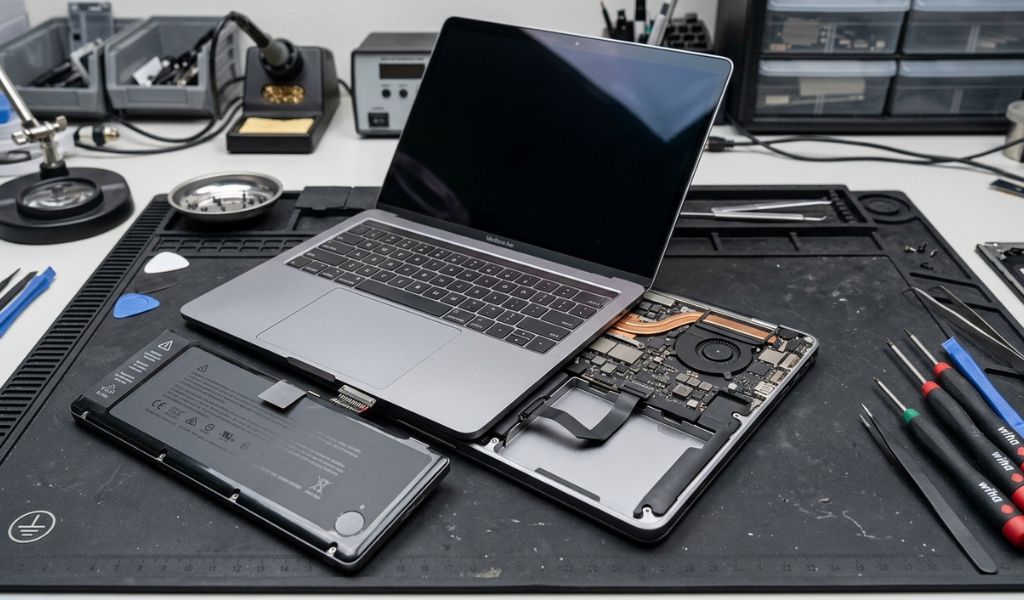
Understanding the following factors can help you estimate your repair requirements more accurately.
Not every battery problem means you immediately need a replacement. However, certain warning signs indicate that your battery may be reaching the end of its useful life.
1. Battery Drains Quickly
If your laptop loses charge much faster than it previously did, its battery capacity may have deteriorated.
2. Laptop Shuts Down Unexpectedly
A worn battery may struggle to supply consistent power, causing unexpected shutdowns even when the battery indicator shows remaining charge.
3. Battery Does Not Charge Properly
If the battery remains at the same percentage or takes unusually long to charge, it may need professional inspection.
4. Overheating or Battery Swelling
A swollen battery is a serious safety concern. Stop using the laptop, disconnect it from power if safe, and arrange professional service. Do not press, puncture, or attempt to remove the battery yourself.
5. Laptop Works Only When Plugged In
If your laptop switches off immediately after disconnecting the charger, the battery may no longer hold sufficient charge.
Choosing a professional laptop battery repair service can help identify whether the battery itself needs replacement or another component is causing the problem.
For example, charging issues can sometimes result from a faulty charging port, damaged adapter, or power-management problem.
A professional technician can:
Inspect the battery's overall condition.
Check charging and power-related components.
Identify the correct replacement battery.
Install the replacement safely.
Test charging and battery performance.
This approach helps prevent unnecessary replacements and ensures the actual issue is addressed.
Also read: Where to Find Reliable Laptop Repair in Indianapolis?
Finding a dependable repair provider involves more than comparing prices. You should also consider technical experience, replacement battery quality, service transparency, and warranty support.
Before choosing a provider, check the following:
Experience: Look for technicians familiar with your laptop brand and model.
Battery compatibility: Confirm that the replacement meets the manufacturer's specifications.
Transparent estimates: Ask whether the estimate includes parts and installation.
Warranty coverage: Understand the warranty offered on the replacement battery and service.
Customer reviews: Check feedback about repair quality and turnaround time.
If you are searching for laptop battery service near me, consider a local repair shop that offers professional diagnostics and clear service information.
Twin Wireless provides laptop repair services in Indianapolis, making it a convenient option to consider when your device needs professional attention.
After replacing your battery, a few everyday habits can help maintain its performance.
Avoid exposing your laptop to excessive heat.
Use a compatible charger and charging accessories.
Keep your laptop's operating system and power management settings updated.
Avoid leaving the device in direct sunlight or hot vehicles.
Follow the battery care recommendations provided by the manufacturer.
Monitor battery health periodically.
These simple practices can help reduce unnecessary battery wear over time.
The cost of laptop battery replacement in 2026 depends on the type of laptop, battery quality, installation requirements, and the overall condition of the device. Don’t just choose the cheapest option, look for compatibility, safety, and professional installation.
If your laptop struggles to hold a charge or shuts down unexpectedly, getting it inspected can help you determine the right solution. For dependable laptop repair assistance, consider contacting Twin Wireless in Indianapolis to discuss your laptop's battery condition and replacement requirements.
The cost varies depending on the laptop brand, model, battery type, and installation requirements. Premium and specialised laptops may require more expensive replacement batteries.
Many standard laptop battery replacements can be completed within a few hours. However, the turnaround time depends on battery availability, laptop design, and repair complexity.
If your laptop works properly apart from its battery, replacement is often a practical option. However, if the device has multiple hardware problems or is outdated, upgrading may be worth considering.
Some laptops have removable batteries that are relatively easy to replace. However, internal batteries require careful handling and specialised tools. Professional installation is generally safer, especially if the battery is swollen.

Looking for trusted laptop repair in Indianapolis? Get fast laptop screen repair, battery replacement, and same-day repair services today.
View more
Learn the typical laptop battery replacement cost, warning signs of battery failure, replacement time, and when repair makes more sense than buying new.
View more

 Login/Register